
UPSC released the e-Admit Card for the Civil Services (Preliminary) Examination 2026 on 15 May 2026 at upsc.gov.in. The exam is on Sunday, 24 May 2026. If you have not downloaded it yet, do it now — the Commission is unequivocal that no candidate will be admitted without a clearly printed admit card. This guide is a single, authoritative checklist for downloading the admit card, the documents you must carry, the items expressly prohibited inside the hall, and the rules around discrepancies, postponement and biometric checks.
Every instruction below is sourced from upsc.gov.in and the UPSC e-Admit Card Portal. If your admit card carries a typo, a missing photograph, or a wrong centre, scroll to the discrepancy section at the bottom — we explain exactly how to escalate it within 48 hours.
📞 Hit a roadblock at the eleventh hour? Call our Civils Gyani help-desk at 7033005444 — open 10 AM to 8 PM on May 22 and May 23 for in-person walk-in support at our Patna centre.
How to Download Your UPSC Prelims 2026 Admit Card
The e-Admit Card is hosted on the UPSC online portal. There is no SMS or email delivery of the admit card itself — you must download and print it.
- Go to upsconline.gov.in/eadmitcard/ — the dedicated e-Admit Card portal. (You may also reach it from the home page of upsc.gov.in via the e-Admit Card link.)
- Click e-Admit Card: Civil Services (Preliminary) Examination, 2026.
- Choose your authentication method — Registration ID OR Roll Number.
- Enter your Date of Birth in the required format and the captcha shown on screen.
- Click Submit. The admit card opens as a PDF.
- Verify every field: name, date of birth, photograph clarity, signature visibility, centre name and full address, reporting time, and the candidate declaration printout.
- Print on plain A4. Take at least two copies. Carry one to the exam centre and keep one as a backup at home or with a parent.
- Save the PDF to your phone AND email it to yourself. If the printed copy is lost, the centre can sometimes accept a clear digital copy — but only as an exception. Do not rely on it.
Retain the admit card until the final result of CSE 2026 is declared. UPSC may ask for it at the Mains stage. Candidates who lose it before then face avoidable administrative hassle.
What You MUST Carry to the Examination Centre
Carry these in a transparent file folder so that the invigilators can verify them without delays at the entry point:
- Printed e-Admit Card. Clear, readable, A4 size, single-sided. No mobile screen, no torn copy.
- Original photo identity proof. Aadhaar, PAN, Voter ID, Driving Licence or Passport. The name on the ID must match the name on the admit card.
- Two black ballpoint pens. Of the same brand. Carry a spare in a separate pocket.
- Two recent passport-size photographs. Required if the admit card photograph is unclear, faded, or non-matching with your current appearance.
- Transparent water bottle. No coloured / printed bottles. No flavour packs.
- Hand sanitiser in a transparent plastic bottle. Optional but useful for long centre queues.
- Analog wrist watch (simple, non-smart). The hall may not have a wall clock visible from every seat. Smart watches are strictly prohibited.
- Face mask (carry one even if not mandated by centre).
What is STRICTLY Prohibited Inside the Exam Hall
UPSCs ban list is comprehensive and zero-tolerance. Even possessing a prohibited item near the seat is treated as malpractice and can lead to debarment from future UPSC examinations.
- Mobile phones (even switched off, even kept in a locker outside the hall premises in some centres). The safer rule: do not bring it to the centre at all.
- Smart watches, fitness bands, Bluetooth devices, earphones, hearables.
- Calculators of any kind. UPSC does not provide calculators — CSAT arithmetic must be solved manually.
- Pencils, gel pens, sketch pens, blue ink pens. Only black ballpoint pen is permitted on the OMR.
- Whitener / correction fluid, erasers, blades. Even if you do not intend to use them.
- Books, written or printed material, paper chits, hand-written notes. The desk must be clear of everything except the test booklet and OMR.
- Camera-equipped devices including digital cameras, recording pens, and any spy gadgets.
- Programmable wristwatches, watches with calculator functions.
- Loose papers and clipboards. The booklet will have its own working space.
Carry a small clear pouch with only the must-have items above. Leave everything else at home or with a family member outside the centre.
Reporting Time and Entry Discipline
- Forenoon Session (GS Paper-I): 09:30 – 11:30. Report at the centre by 08:30. Entry closes at 09:20. No late entry — not even by one minute.
- Afternoon Session (CSAT Paper-II): 14:30 – 16:30. Report at the centre by 13:30. Entry closes at 14:20.
- Frisking is mandatory. Plan for a 15-minute queue at the entry.
- Biometric verification (thumb impression or face match) may be conducted at the centre. Cooperate without resistance — refusal is treated as a violation.
- Use the washroom before entering the hall. You will not be allowed to leave the hall in the first hour or the last 10 minutes of either session.
Pattern, Marks and Negative Marking — A 60-Second Refresher
If you are doing one final pattern revision, here is the entire UPSC Prelims architecture compressed to a table.
| Parameter | GS Paper-I | CSAT (Paper-II) |
|---|---|---|
| Number of questions | 100 | 80 |
| Total marks | 200 | 200 |
| Marks per question | 2 | 2.5 |
| Negative marking | 1/3 (i.e. 0.66 per wrong) | 1/3 (i.e. 0.83 per wrong) |
| Duration | 2 hours | 2 hours |
| Nature | Counted in merit | Qualifying (33 percent = 66 marks) |
| Language | English and Hindi | English and Hindi |
If you do not qualify CSAT by scoring at least 66/200, your GS Paper-I marks are not considered for the Prelims cut-off — irrespective of how high they are. Take CSAT seriously.
OMR Filling — The Procedural Rules
UPSC has historically rejected OMR sheets for procedural violations even when the answers were correct. Internalise these rules tonight:
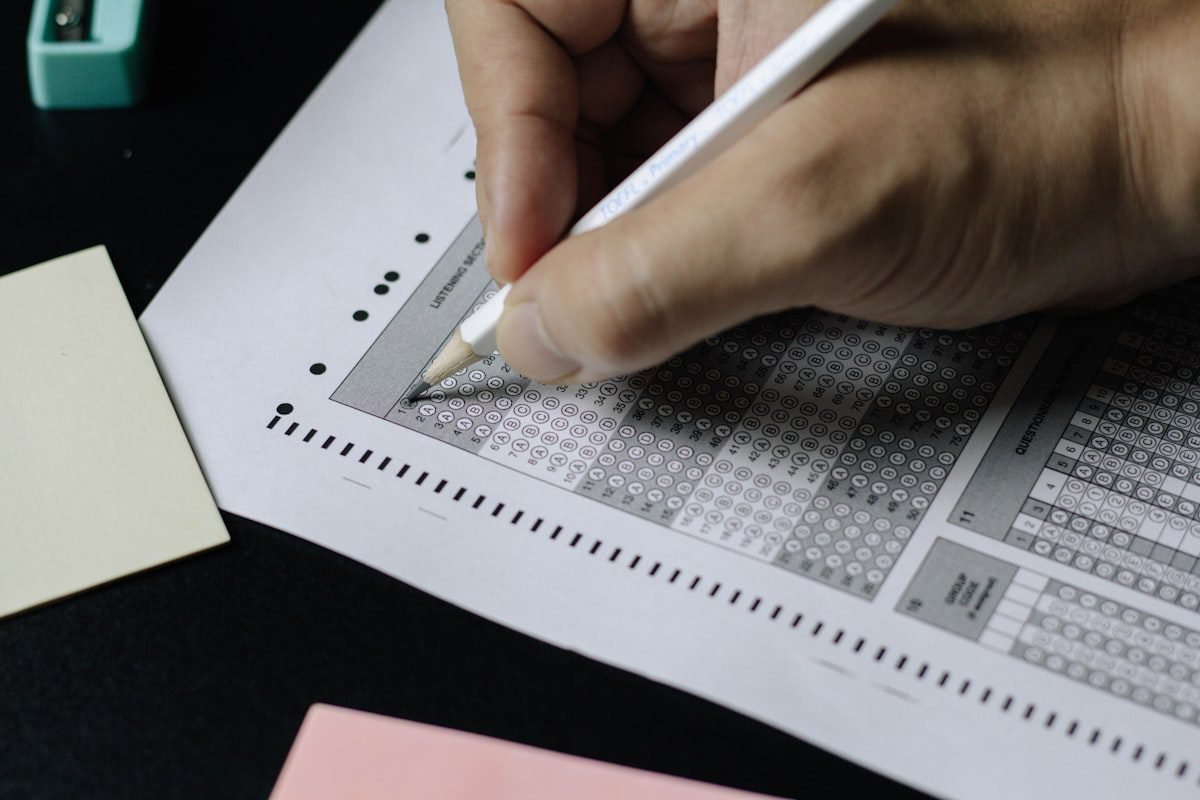
- Use only a black ballpoint pen. Pencil marks are not read by the scanner. Blue ink may be reported as invalid.
- Mark only one bubble per question. Two filled bubbles equal zero marks (and 1/3 negative deduction is still applied).
- Fill the entire bubble dark and clean. Half-filled, dotted or tick-marked bubbles are unreliable.
- Fill the Test Booklet Series code on the OMR immediately after receiving the sheet. A missing series code can invalidate your entire OMR.
- Fill your roll number, name, centre code exactly as printed on your admit card.
- No whitener, no eraser, no over-writing. If you mistakenly fill a bubble, leave the question blank — do not attempt to correct it.
- Sign the OMR and the attendance sheet in the same signature as your admit card.
What If There Is a Discrepancy On My Admit Card?
Read every field on the admit card carefully. Discrepancies fall into three buckets:
- Minor (spelling of name, fathers name typo): Carry the admit card with your original photo ID. Inform the invigilator on the day of the exam. UPSC will not deny entry for a one-letter mismatch.
- Major (wrong photo, missing signature, wrong DOB): Immediately email the Commission at the contact ID listed on the admit card / on upsconline.gov.in. Also visit the UPSC Facilitation Counter at Dholpur House, New Delhi if you can. Carry 4 recent passport photographs, original photo ID, and a copy of your application form to the exam centre.
- Wrong centre / no centre assigned: Contact UPSC immediately by phone (Facilitation Counter: 011-23381125 / 23385271 / 23098543). Wrong centres are not auto-corrected — you must escalate.
Do not wait until exam day. Discrepancies escalate fastest within the first 48 hours of admit card download.
Centre-Specific Logistics — Plan Your Travel Tonight
- Open Google Maps. Search the exact centre address from your admit card. Save the route.
- Estimate travel time for 08:00 arrival. Add 30 percent buffer for Sunday morning traffic and centre queue.
- If you are not from the city, book a hotel within 5 km of the centre — not in city centre.
- Reach the centre at least once on Saturday (a dry run) so you know the building, the entry gate and the parking situation.
- If you are using public transport, do not rely on early-morning frequency — auto / cab is safer.
- Carry exact change for transport.
10-Question Admit-Card & Exam-Day Rules Check
Take 10 minutes tonight and run this 10-question check. It tests the rules — not the syllabus — so it is the fastest way to verify you have read the admit card carefully.
Practice Quiz — 10 UPSC-Style Questions
Click an option to reveal the answer and explanation.
Frequently Asked Questions
When was the UPSC Prelims 2026 e-Admit Card released?
UPSC released the e-Admit Card on 15 May 2026 at upsc.gov.in and upsconline.gov.in. The exam is on Sunday, 24 May 2026.
What identity proofs are accepted alongside the e-Admit Card?
Original photo ID issued by the government: Aadhaar, PAN, Voter ID, Passport or Driving Licence. The name on the ID must match the name on the admit card.
Is a mobile phone allowed inside the UPSC exam centre, even if switched off?
No. Mobile phones, Bluetooth devices, smart watches, calculators and all electronic gadgets are strictly prohibited inside the examination hall, even if switched off. Possession is treated as malpractice.
What if my UPSC admit card photograph is unclear or different from my current appearance?
Carry two recent passport-size photographs, your original photo ID and a copy of the application form. Report the discrepancy to the invigilator on exam day. Also email the discrepancy to the Commission immediately for record.
What pen should I carry for the OMR sheet?
Only a BLACK BALLPOINT PEN is permitted. Carry two pens of the same brand to avoid a stuck-pen emergency mid-paper. Blue ink, gel pens and pencils are NOT permitted.
Bottom Line
The admit card is the smallest piece of paper that decides whether your year of preparation translates into a result. Print two copies. Verify every field. Pack the file folder tonight. Sleep early. You will thank yourself on Sunday morning.
For doubt resolution on May 22 or 23, call 7033005444 or walk in to our Patna centre (10 AM to 8 PM).
Related reading on Civils Gyani:
- UPSC Prelims 2026 — 48-Hour Last-Minute Revision & Exam-Day Strategy
- Daily Current Affairs for UPSC 2026
- UPSC Strategy Hub
- UPSC Official Website
Disclaimer: All instructions in this guide are reproduced from UPSCs admit-card notice and historical practice. In case of any conflict between this page and the printed admit card / official notice, the official notice prevails.